
Does anyone actually have just one social networking profile anymore? Most of the people I know have a Facebook, a Twitter, a LinkedIn, a Tumblr and a Google+ account (RIP), or some similar combination that may or may not be unnecessary.
Which is why I know plenty of users have been using the handy sync feature that connects different accounts to work together without having to update over and over again.

But what do you do when you want to add your friends from Facebook to other services? Certainly there has to be a better way than searching out the individual emails and hoping they work. Here are a couple of ways to more simply migrate your Facebook friends to a different social media site.
Import To Gmail
Gmail is one of the most popular email clients around. Because of their tab design and constant reload, it is an efficient way to keep track of emails. Especially if you happen to network or email a lot. So it can be really handy to import your friends from Facebook as regular Gmail contacts, in order to save them and use the associated email addresses for contact. You can also apply them to Gtalk, in-service chat client.
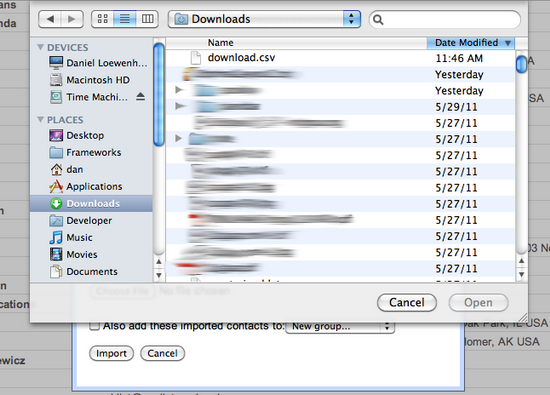
Just download Friends to Gmail and connect to your Facebook account through the app. From there you can select to save your contacts in a CSV file, which is compatible with Gmail. Then open your email account, go to Contacts > More Actions > Import. From there it will give you an upload box where you can choose the file you downloaded to be reloaded onto your contacts list.
Please Note: If you wish to have these added into your Gtalk, you will usually have to send invites to chat, as it will not automatically add them into your chat contacts.
Import To Google+
Edit: Google+ is now defunct.

Edit: Google+ has been discontinued 🙁
This one can get a little tricky. When Google+ was first introduced, there was a handy Chrome attachment that allowed you to import your contacts quickly, made by a man name Muhammad Mansour. But almost immediately it was blocked by Facebook to stop people from moving over fully to their competitor.
There have been a number of updates but they were always blocked once more by the social networking site. He has since provided it on his Github, which should still work. You just download the .zip file and install it. Then go to chrome://extensions through the URL bar. Click on Developer Mode>Load Unpacked Extension and install.
Please note: You have to extract the files onto your desktop before unpacking them in Chrome.
Import To Twitter

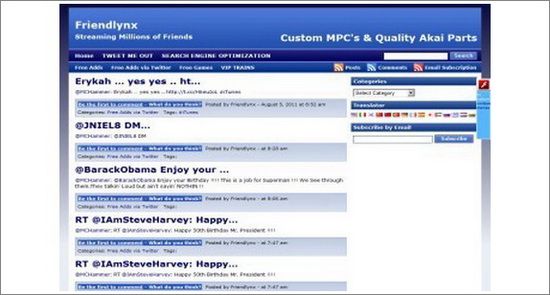
One of the best apps for the process, Friendlynx is supported by Facebook and so does not have any issues when you try to import contacts, thanks to their sync contract. You just download the app, sign in to your Facebook account and import the contacts directly to your Twitter. The advantages of this are endless, as there is a very good chance your friends will have both accounts.
Please note: This app does not support secure browsing, or https. It has to be accessed through the traditional http, or through the apps dashboard of your Facebook account. Hopefully, there will be an update on this soon.
Conclusion
Migrating contacts from one site to another can be a bit of a pain, but these three methods take some of the difficulty out of it. What are some of your favorite programs? Let us know in the comments.
Image Credit: Christos Tsoumplekas


